Instant, AI-Powered Definitions for Any Text
Select any text on any webpage and get contextual definitions powered by AI. Perfect for researchers, students, and curious minds.
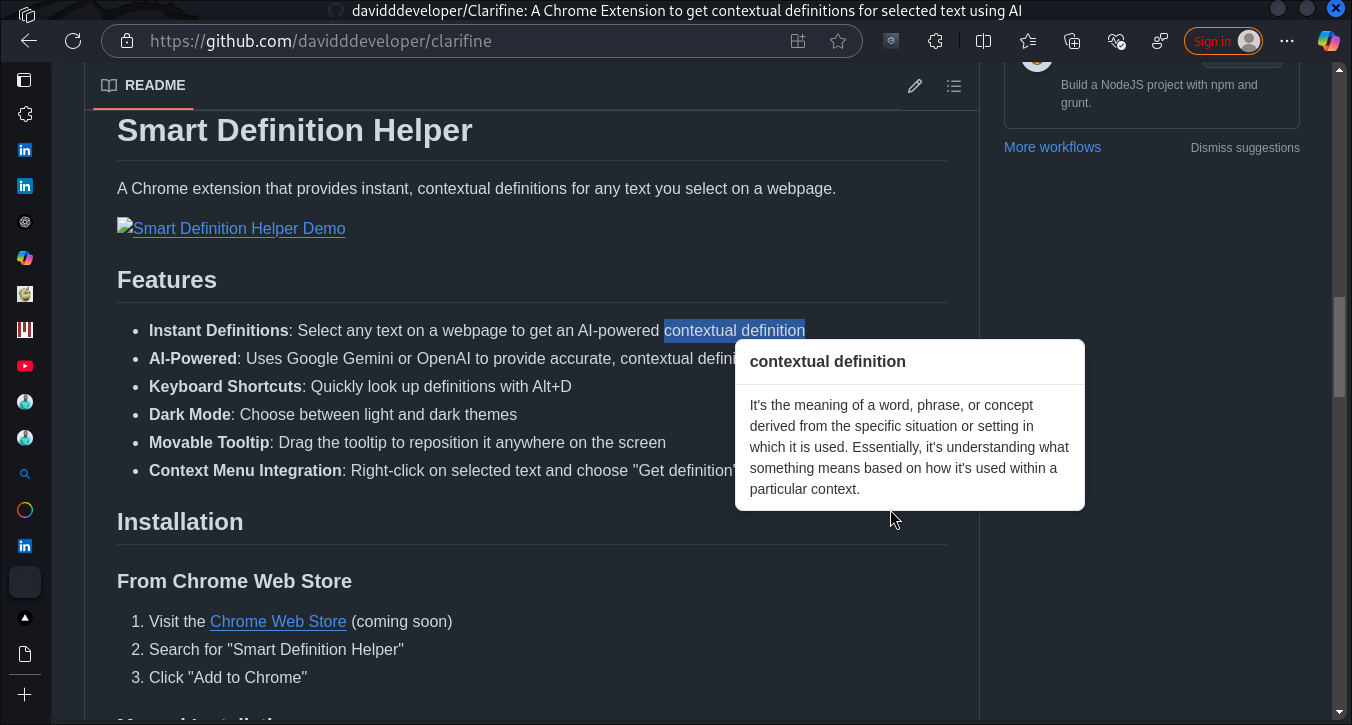
Select any text on any webpage and get contextual definitions powered by AI. Perfect for researchers, students, and curious minds.
Get contextual definitions using Google Gemini or OpenAI models for accurate and relevant explanations.
Choose between light and dark themes to match your browsing preferences and reduce eye strain.
Quickly look up definitions with Alt+D without interrupting your workflow.
Drag the tooltip to reposition it anywhere on the screen for better visibility.
Add Smart Definition Helper to Chrome from the Web Store or GitHub.
Enter your Google Gemini or OpenAI API key in the options page.
Highlight any text on any webpage that you want to understand better.
A tooltip appears with a contextual definition powered by AI.
Yes, your API key is stored locally in your browser and is never sent to our servers. Selected text is sent directly to the AI provider (Google or OpenAI) for processing. No user data is collected or stored by this extension.
Smart Definition Helper supports Google Gemini Pro and OpenAI's GPT-3.5 Turbo. We recommend using Gemini for the best balance of performance and cost.
Yes, you'll need to use your own API key from either Google or OpenAI. Both providers offer free tiers that should be sufficient for casual use. Google Gemini currently offers a more generous free tier.
Currently, Smart Definition Helper is only available for desktop Chrome browsers. We're exploring options for mobile browsers in the future.